

Breadcrumb
Digital Wall
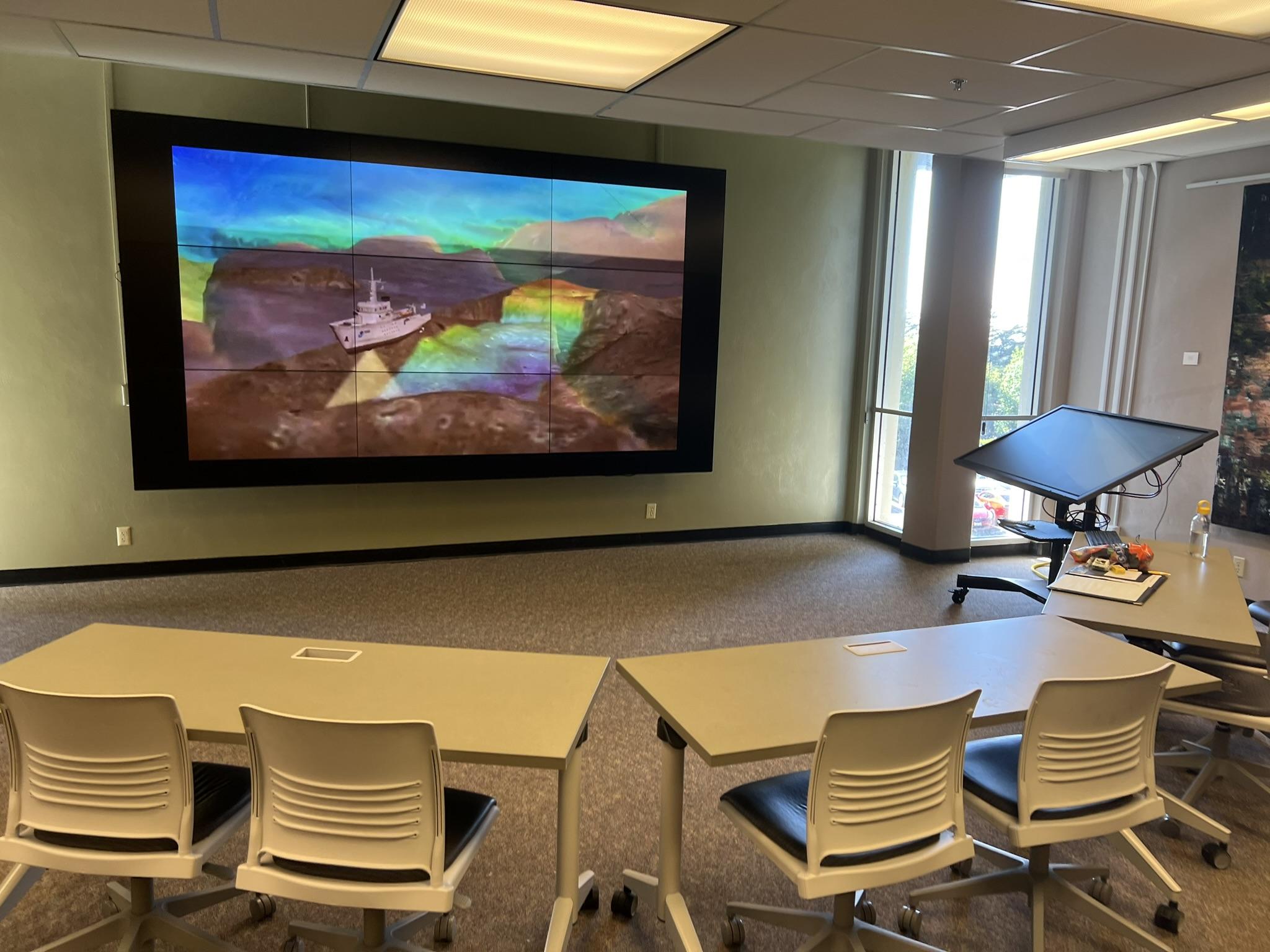
Welcome to the Digital Wall! This large, high-resolution digital display is a learning tool optimal for 3D geospatial visualization; panoramic images; highly detailed content such as aerial photographs, 3D models, or annotated maps; and data visualizations and overlays. The Digital Wall provides an amazing tool for creating an immersive library learning experience.
To Reserve the Digital Wall
University personnel and students can request to reserve this location in or by contacting the Cal Poly Humboldt Library at libreservations@humboldt.edu or the Administration Office at (707) 826-3441. Email details of your request; all reservation requests will require approval by libreservations@humboldt.edu.
This space may be used for events that collaborate or incorporate with library instruction, Skillshops, or events and do not interfere with normal library operations. When this space is not reserved, it is available for drop-in use. The Digital Wall is not meant to serve as regular classroom space. IBAC and Admissions tours and Library events have priority.
Specifications
The Digital Wall consists of nine 55-inch Planar LCD video displays arranged in a 3x3 configuration, with bezels less than a millimeter wide. The diagonal size of the entire video wall reaches 164 inches, and the displays at 700-candela per square metre brightness, with an aspect ratio of 16:9, overall resolution of 5760 x 3240, and in-system sound.
The Instructor Kiosk for the Digital Wall is a Dell 55" 4k interactive touch monitor, though a traditional keyboard is also available, and can be moved, turned or tilted to accommodate a variety of uses and users.
The Digital Wall has been updated to include a Crestron control panel, auto-tracking mounted camera, and in-ceiling JBL speakers.
Digital Wall - Use Guidelines
The Digital Wall is not an enclosed space or traditional classroom. Please be mindful of the limitations of the space, especially considering capacity and volume. The default setup for the Hall of Simulation is classroom-style.
Classroom style: 10-15
Theatre style: 30 (20 with catering)
Excessive volume is unacceptable in the library. Up to 60 db (normal conversation) is acceptable volume, not 70db (vacuum cleaner). While quiet study areas and collaboration areas are both somewhat removed from the Digital Wall and Hall of Simulation, maintaining a reasonable volume and avoiding disruption in the Library is important. Use of the Digital Wall is subject to the library’s Use Policy.
The Digital Wall’s primary purpose is to support campus courses, information literacy and visualization, and not for film screening. In the event that it is used for screening, it is important to recognize that the Digital Wall is not in an enclosed classroom, nor is it located in an area where we can control who sees the content being shown. There is no effective manner in which consent and permission for viewing can be obtained from all students passing through the library, and both community members and children may be present in the library. Graphic, violent, sexual, or otherwise restricted or triggering content is strictly forbidden.
Commercial television and film are protected by copyright law and require a Public Performance License if they are to be shown in public. Public screening rights must be purchased and secured before advertising for or holding any event related to a movie/film screenings. Failure to adhere to these guidelines can result in fines or legal issues, as it is considered infringement. You can obtain screening rights for many titles from movie distributors like Criterion or Kanopy, or seek assistance from the library in finding titles that meet your needs.
If you intend to use clips, screenshots, etc. from commercial content, it may fall under Fair Use for copyrighted works and be permissible so long as the event is non-commercial, non-profit, and educational. The Face-to-Face exemption for full screening does not apply to the Digital Wall- it is an exception specifically for the instruction of registered members of an academic course and must occur in a location designated for instruction.
If a film or video is in the public domain, you may show it in public. If a film or video is licensed under “Creative Commons” or a relative copyleft license, please check the designation for use, as it may be allowed to be shown in public but may also be restricted to non-commercial and non-profit use.