

Breadcrumb
Staff & Faculty Permits
Faculty and staff are eligible to purchase a Faculty/Staff Parking Permit at the barganing unit rate listed below. Permits are required at all parking lots on campus Monday - Thursday from 7am-10pm, and Fridays from 7am-5pm
Payroll Deduct Digital Permit Activation Guides
The $10 fee is assessed for each new permit and charged from Passport, our parking permit software. This is not a Cal Poly Humboldt fee and is not part of the payroll deduction amount. This fee is charged to all permit holders, even semesterly permit holders. Payroll deduct permit holders only have to pay it once, whereas semester permit holders pay it each time they purchase a permit.
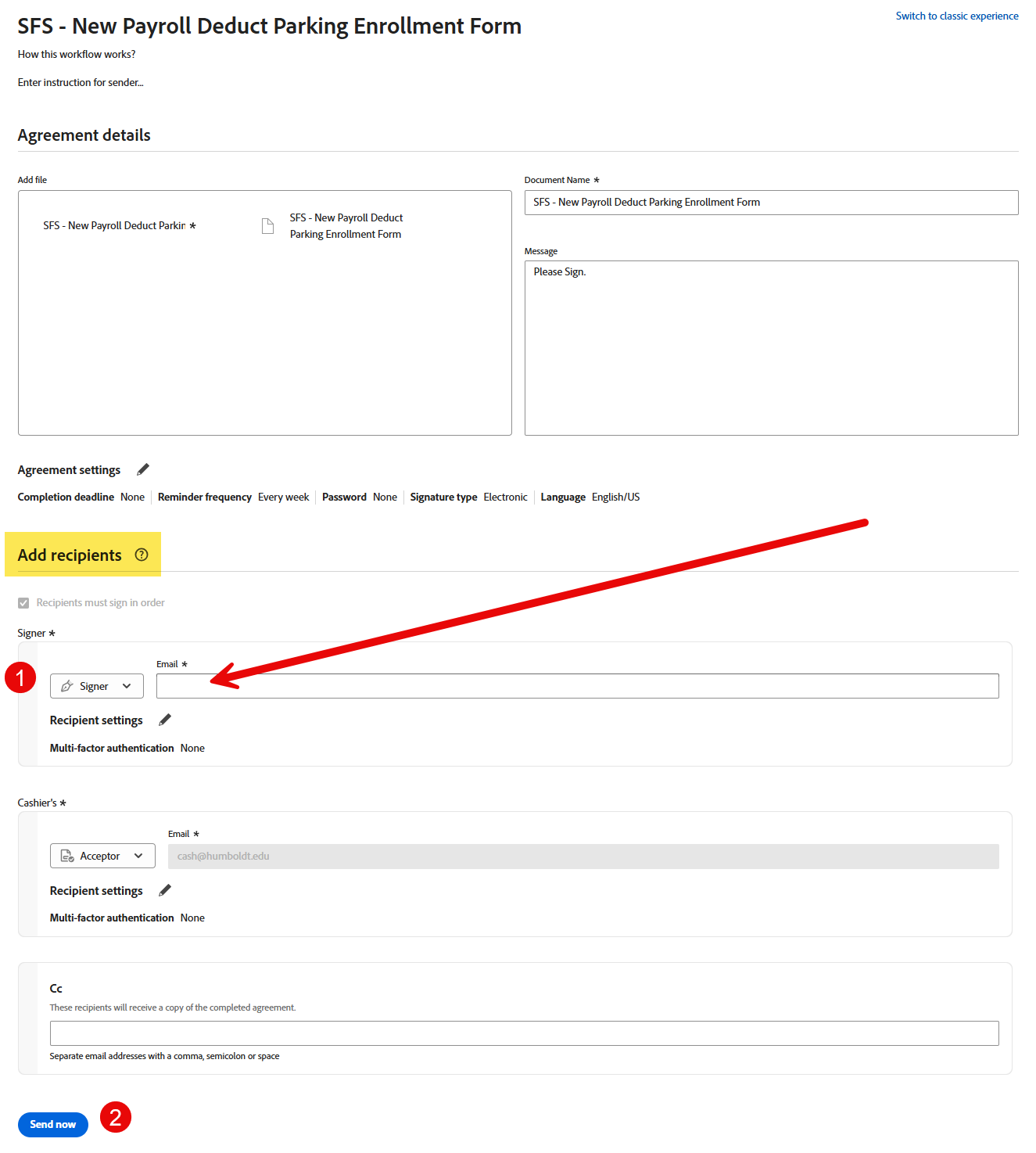
- Click on the link above to be directed to Adobe Sign
- Enter your Humboldt email address in the "recipients" section under "signer"
- Scroll down and select "Send Now"
- Once the Adobe Sign document loads, fill out the required fields, and digitally sign the document
- Once received, Student Financial Services will review the document and follow up with instructions
- Open the email from Parking Permits Customer Portal with subject line “Access the new Cal Poly Humboldt parking customer portal”
- Copy the link code and then click on the “Create Account” button

- Login or create an account using your Humboldt email address

- Click the "Link a Permit" option, and paste the code from the email into the field. Then select the "Link Permit" button to submit. Depending on the device you are using, the button may be in a different location.
Computer:
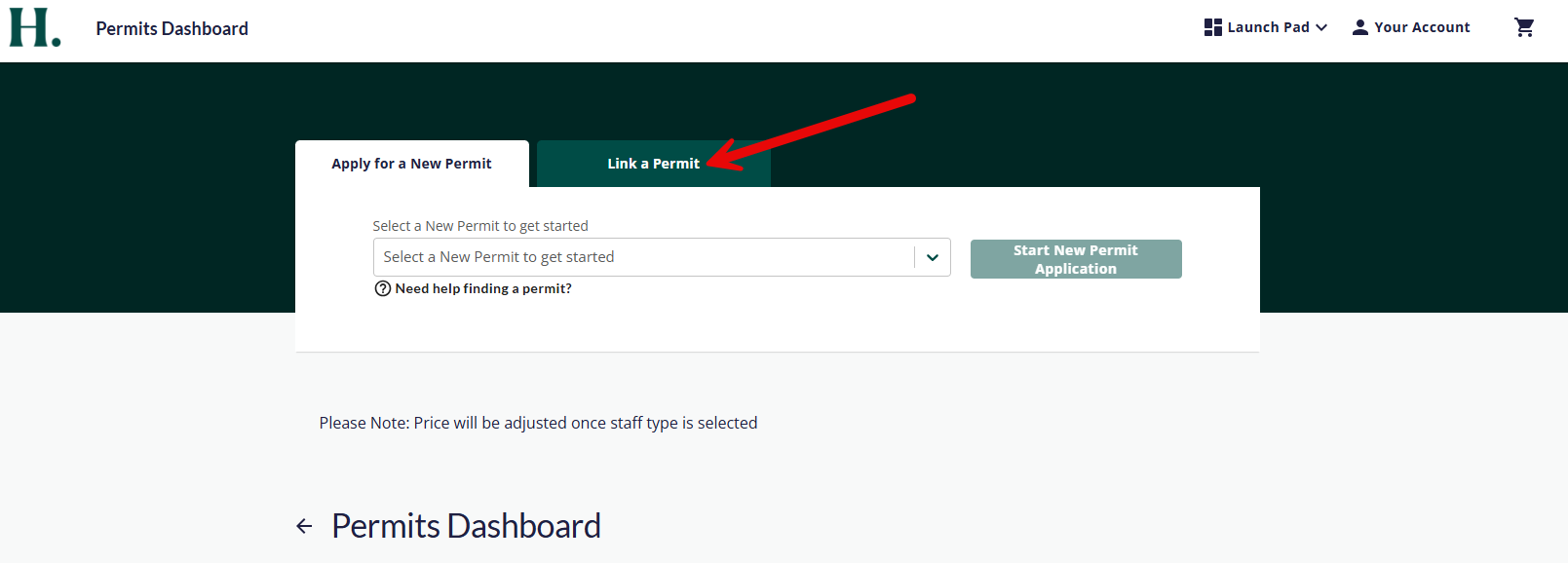
Mobile:

- Add the permit to your cart

- Follow the instructions on the screen to complete payment
- Once the payment has been processed, select "Go To Dashboard"

- PLEASE NOTE: It can take up to a few minutes to update the status of your permit from UNPAID to ACTIVE (simply refresh the page)


- Verify that the license plate, make, and model are correct
- Your digital parking permit is now active and ready for use!
- Start by logging into your Passport account (click here)
- Scroll down to the Permits Dashboard under Active Permits
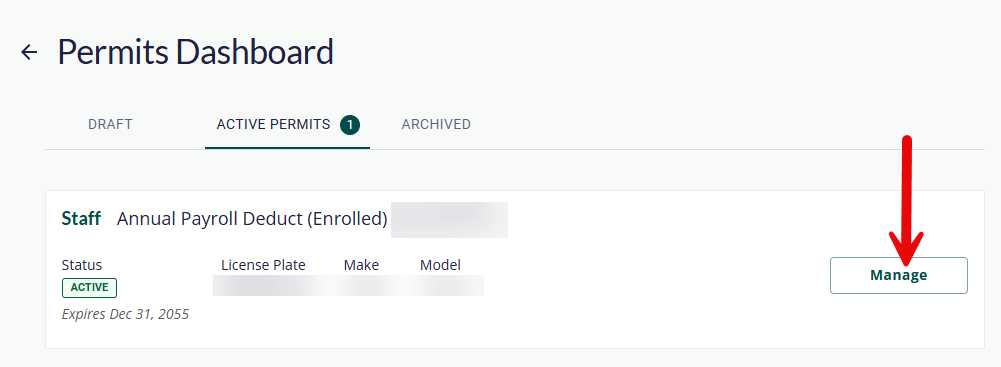
- Select the "Manage" button on the permit you would like to add a license plate to
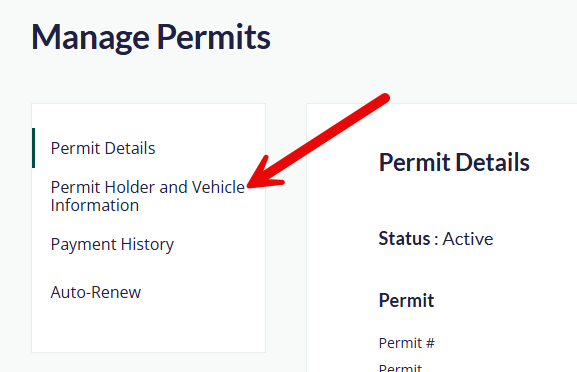
- Select Permit Holder and Vehicle Information
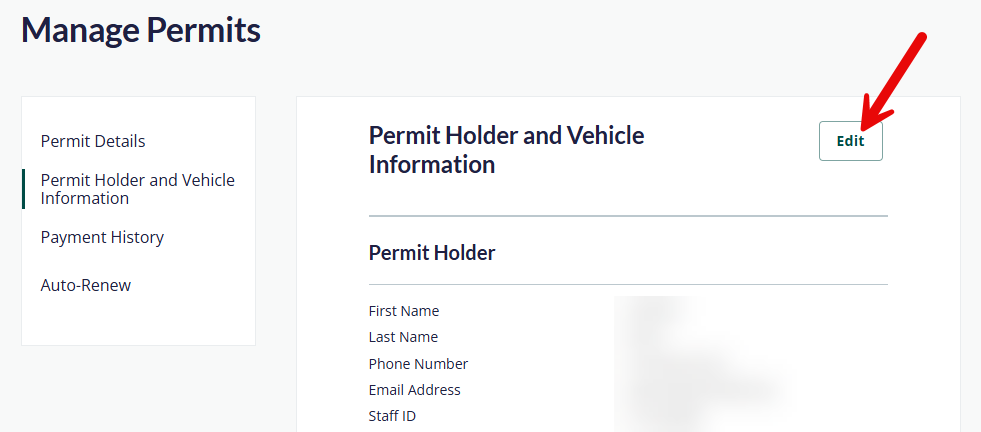
- Select the "Edit" button
- Scroll down and select the "Add Vehicle"
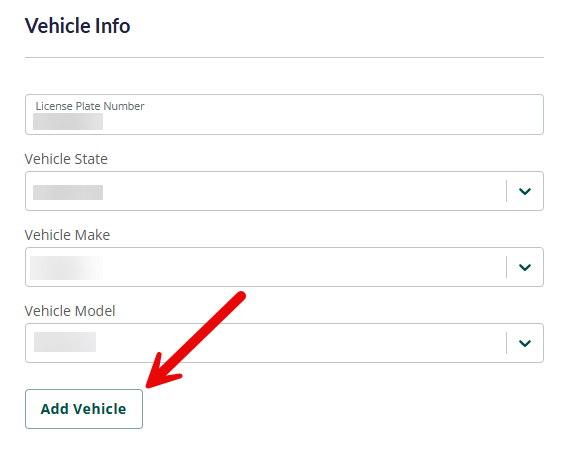
- Enter the new vehicle license plate information
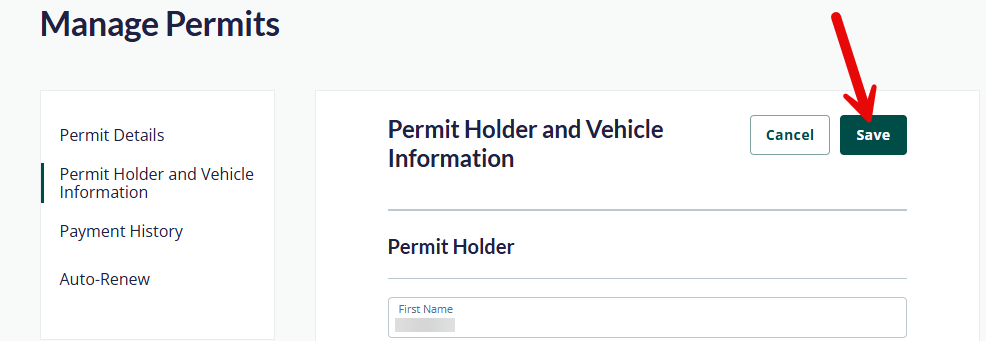
- Scroll up to the top and select the "Save" button
- Start by logging into your Passport account (click here)
- Scroll down to the Permits Dashboard under Active Permits
- Select the "Manage" button on the permit you would like to add a license plate to
- Select Permit Holder and Vehicle Information
- Select the "Edit" button
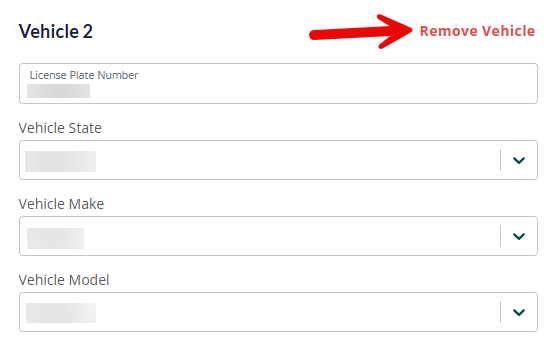
- Scroll down and select the "Remove Vehicle" for the desired vehicle
- Scroll up to the top and select the "Save" button
Parking Rates
Eligible faculty and staff must be a State Employee (not an Auxiliary Employee). Faculty is only eligible if they work both Fall & Spring semesters. Hourly/Intermittent Staff, Emergency Hires, and Student Assistants are not eligible for Payroll Deduct.
Payroll Deduct will take a small fee out of each paycheck instead of paying the total cost upfront. This permit is valid for multiple years with the first installment due upon enrollment. Employees may not enroll in multiple, simultaneous payroll deducts.
| TYPE OF PERMIT (Monthly Deduction) | NON-REP & MPP | UNIT 1 | UNITS 2, 5, 7, 9 | UNIT 3 | UNIT 4 | UNIT 6 | UNIT 8 | UNIT 11 |
|---|---|---|---|---|---|---|---|---|
| Annual (Fall, Spring, & Summer) | $35.00 | $35.00 | $12.91 | $13.85 | $30.00 | $25.00 | $35.00 | $35.00 |
| Academic (Fall & Spring) | $26.25 | $26.25 | $9.68 | $10.38 | $22.50 | $18.75 | $26.25 | $26.25 |
*Rates are subject to change based on contract negotiations.
| TYPE OF PERMIT | NON-REP & MPP | UNIT 1 | UNITS 2, 5, 7, 9 | UNIT 3 | UNIT 4 | UNIT 6 | UNIT 8 | UNIT 11 |
|---|---|---|---|---|---|---|---|---|
| Academic Year Permits | $315.00 | $315.00 | $116.20 | $124.61 | $270.00 | $225.00 | $315.00 | $315.00 |
| Single Semester Permits | $157.50 | $157.50 | $58.10 | $62.31 | $135.00 | $112.50 | $157.50 | $157.50 |
| Academic Year Motorcycle Permits | $80.00 | $80.00 | $29.04 | $31.16 | $68.00 | $57.00 | $80.00 | $80.00 |
| Single Semester Motorcycle Permits | $40.00 | $40.00 | $14.52 | $15.58 | $34.00 | $28.50 | $40.00 | $40.00 |
| Single Semester Evening Permit | $58.00 | $58.00 | $21.52 | $23.10 | $50.00 | $42.00 | $58.00 | $58.00 |
| Daily Permits | $5.00 | $5.00 | $2.00 | $2.00 | $2.00 | $2.00 | $5.00 | $5.00 |
| Metered Spaces (Hourly Rate) | $0.75 | $0.75 | $0.75 | $0.75 | $0.75 | $0.75 | $0.75 | $0.75 |
*Rates are subject to change based on contract negotiations.
| TYPE OF PARKING | NON-REP & MPP | UNIT 1 | UNITS 2, 5, 7, 9 | UNIT 3 | UNIT 4 | UNIT 6 | UNIT 8 | UNIT 11 |
|---|---|---|---|---|---|---|---|---|
| Summer Full | $105.00 | $105.00 | $38.73 | $40.76 | $90.00 | $75.00 | $105.00 | $105.00 |
| Summer Motorcycle Permits | $16.00 | $16.00 | $5.81 | $6.23 | $13.60 | $11.40 | $16.00 | $16.00 |
*Rates are subject to change based on contract negotiations.